

How does this fit into an agency’s workflow?
Offline Conversion reporting connects a client’s sales outcomes to Google Ads, Facebook Ads, and Google Analytics, going beyond measuring form submissions.
Reporting Sales Conversions from FixDigital CRM to Google Ads / Facebook Ads / Google Analytics
For seamless campaign optimization in real time, FixDigital CRM enables automatic offline conversion updates directly from your sales team or CRM system. This allows platforms like Facebook and Google to accurately measure campaign performance based on real-world outcomes such as purchases, successful calls, or closed deals.Thanks to this mechanism, your campaigns become smarter: Facebook and Google automatically learn which ads and campaigns generate real results, and use that data to enhance performance through FixDigital CRM. The outcome? Highly targeted and effective campaigns that align with your actual business goals.
What Does This Actually Mean?
When someone clicks on a Google or Facebook ad (search, display, video, etc.) and submits a form, makes a call, or visits your business, that action isn’t always recorded as a conversion in Google Ads, Facebook Ads, or Google Analytics.Offline conversions connect data from FixDigital CRM to your advertising platforms, helping you identify which clicks and leads actually result in purchases, meetings, or closed deals.
How Does It Work?
Initial Data Capture:
A user sees your ad on Google or Facebook and clicks on it.
They fill out a form or call your business.
The lead data is automatically sent to FixDigital CRM.
Lead Follow-up:
Your sales team manages the lead inside the CRM.
When the lead progresses (e.g., becomes a paying customer, books a meeting, or reaches a specific status), that status is updated in the system.
Offline Conversion Upload:
FixDigital CRM assigns a unique identifier to each lead.
Once the deal is closed and the status is updated, the conversion data is sent back to Google and Facebook.
Google/Facebook attribute the conversion to the original ad click and reflect it in your campaign reports.
Automation Setup - Step by Step
Navigate to “Automations” inside the FixDigital CRM.
Click “Add New Automation.”
Select the conversion source: Google Ads / Facebook Ads / Google Analytics.
Connect the campaigns you wish to track.
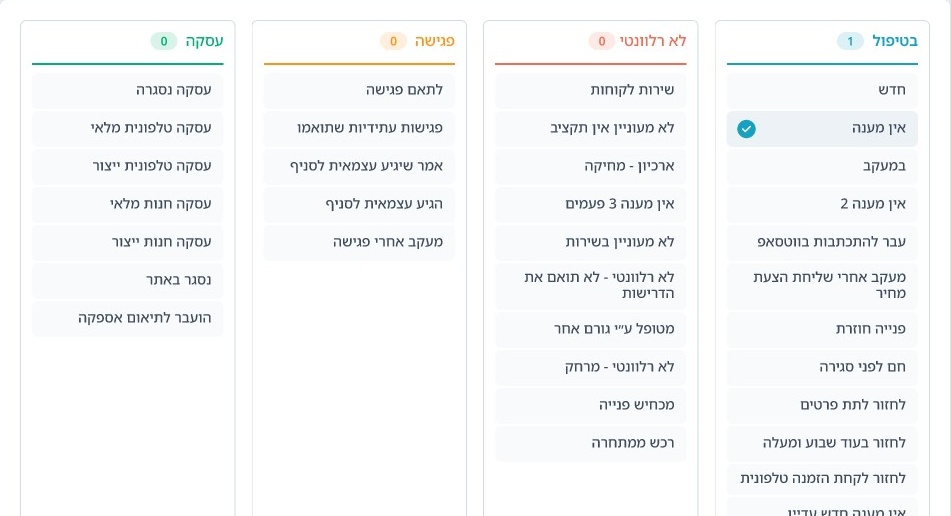
Choose the lead statuses that will trigger a conversion report.
“Deal Closed” – lead converted to a paying customer.
“Successful Sales Call” – lead progressed through a call. (Select “Answered Calls” in call status instead of a custom lead status.)
“Document Sent for Signature” – customer has entered the purchase process.
“Meeting Scheduled” – lead has been scheduled for a meeting.